
Diary Thread
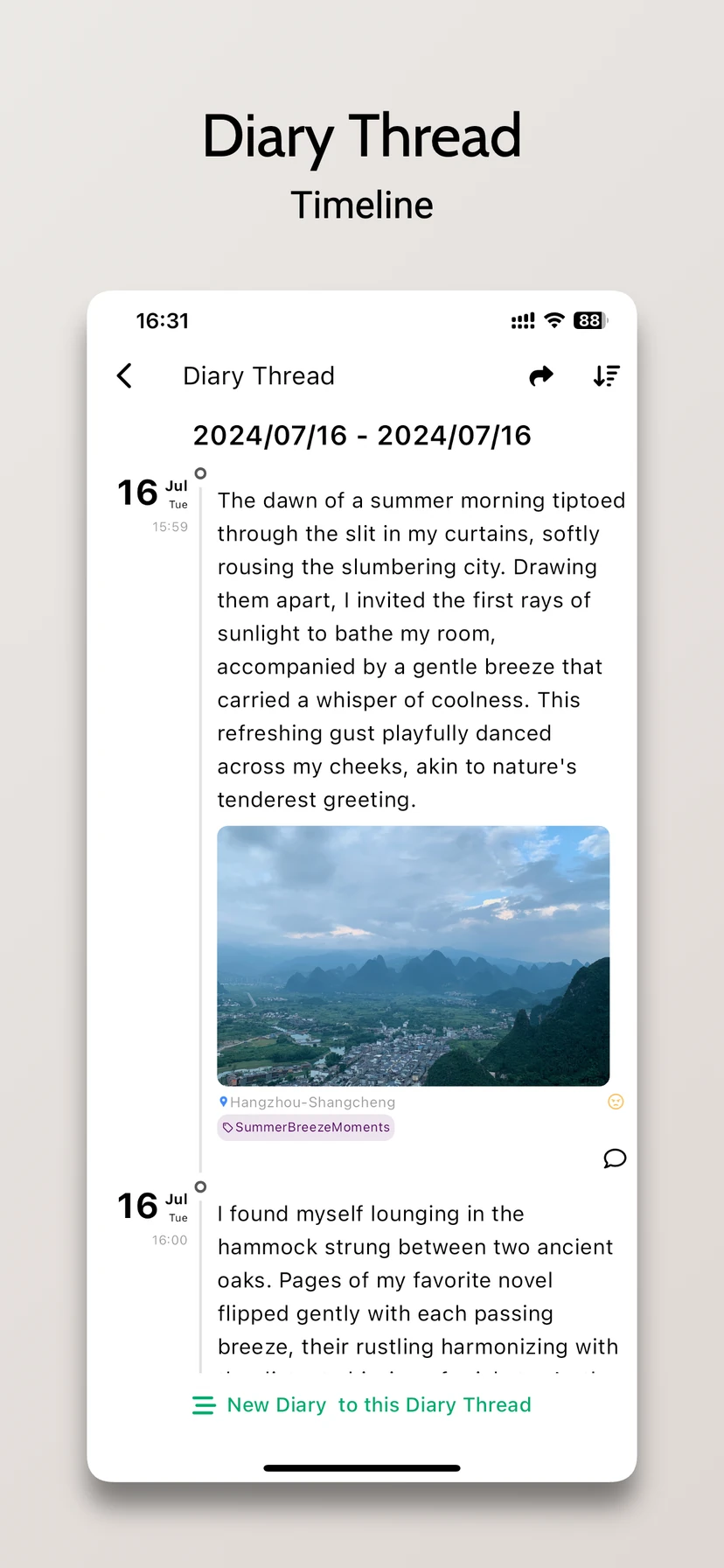
Diary threads are a signature feature of Lifelog Note. They connect related entries from different dates so you can follow one event over time. Keep travel, reading, pet or personal milestone entries together and revisit their progress.
How Are Threads Different from Tags?
Tags classify entries, such as adding a “Travel” tag to several trips. A diary thread connects one specific story, such as “Three Days in Hangzhou”. You can read its entries together. An entry can belong to only one thread and can also use tags for classification.
Start a Diary Thread
- Open the “Thread” tab at the bottom, tap the central “+”, enter a title and save.
- Open the thread and tap “New Diary” at the bottom to continue writing with photos or a short reflection. The entry will join the current thread.
- To add an existing entry, open its detail page, tap the thread icon and choose “Select Diary Thread and join it”, then select the destination. This option appears when a thread is available and the entry does not already belong to another thread.
You can also start from an existing entry: tap its thread icon and create a new diary to make a thread. The thread list shows threads in the current notebook. You can create 3 threads for free; creating more requires membership.
Organize and Revisit Threads
- Arrange the thread list: Use the thread page’s top-right menu to switch between list and grid views, or open the custom thread sorting page and drag threads into order.
- Sort entries within a thread: Open the thread and choose “Sort by newest” or “Sort by oldest” from its menu. This changes entry date order within the thread, separately from the order of the thread list.
- Move or remove an entry: The entry detail page’s thread menu lets you move it to another thread or remove it from its current thread. Removing it from a thread does not delete the entry.
- Search and share: The thread menu also offers search within the thread, sharing and moving the entire thread to another notebook.
Two Examples
- A three-day trip: Record departure and arrival on day one, places and discoveries on day two, and the journey home and your reflections on day three. Add all three entries to one thread, each with its own date and photos. Follow the travel journal guide.
- Reading a book: Write why you started, note a passage or question halfway through, then reflect after finishing. Keep these entries in one reading thread to see how your thoughts changed. Follow the reading journal guide.
These are examples of content you add yourself. Live Photos, videos, audio recordings and media within the text require membership; check the app for current benefits.
Explore more features, read about backup and migration, or download Lifelog Note.