
Keep One Diary Thread per Book
Thoughts about a book often build over days or weeks. In Lifelog Note, keep page photos, questions and your final reflection in one diary thread. Each entry retains its date, making it easy to revisit how your understanding changed.
Start Reading: Create a Thread
- Open the “Thread” tab at the bottom and tap the central “+”.
- Name the thread after the book, such as “Reading The Little Prince”, and save.
- Tap “New Diary” at the bottom of the thread. Write why you picked up the book, when you started, and one question you want to explore. The entry will join the current thread.
If you already wrote a related entry, open its detail page, tap the thread icon, and choose “Select Diary Thread and join it”. An entry can belong to only one thread. A “Reading” tag can group entries across different books. Read the diary thread guide.
As You Read: Add Your Own Questions
Create a new entry in the thread when you find something worth remembering. Add an ordinary photo of a page, then note the chapter or page number, why you chose it, and what you think about it. Even a ten-minute reading session can become a useful entry.
Ordinary photos can appear at the end of an entry. Placing photos between paragraphs requires the member feature for media within the text.
An Example Reading Journey
Adapt this sample to the book you are reading.
| When | Focus | What you could write |
|---|---|---|
| September 1: Starting The Little Prince | Why you chose it | “A friend suggested reading it again. I want to see which details I notice now that I missed before.” |
| September 8: Partway through | Keep a question | Add a relevant page photo, note the chapter, and ask: “Which relationships am I willing to keep making time for?” |
| September 15: Finishing | Return to your first question | Revisit your first entry. Record one idea that changed and one small thing you want to try in everyday life. |
Open the thread and choose “Sort by oldest” from its menu to follow your reading journey. Search within the thread to find a word or question you wrote earlier.
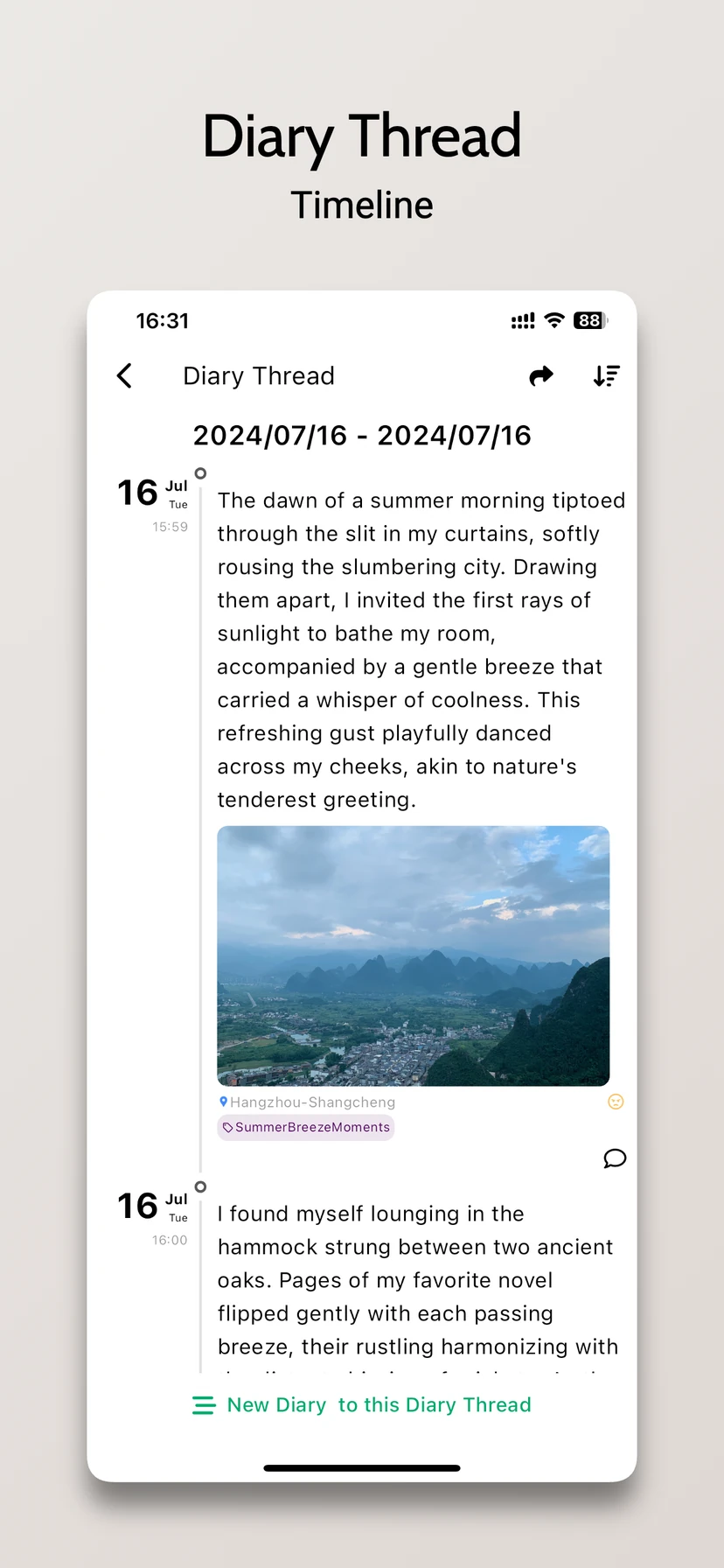
This current App Store screenshot shows entries connected in a diary thread. You can use the same view for a book’s reading notes.
Make a Reusable Text Template
Open “Template” in the sidebar and tap “+” to create a reading template. For example:
- Book and chapter:
- What I want to remember:
- My question or reflection:
- What to think about next:
Choose the template in a new, empty entry before you start writing. Applying a template replaces the current text. Templates retain text and preset tags, without photos, videos or audio. Learn about templates and editing.
Free and Membership Features
For free, you can create 3 diary threads, 3 tags and 2 templates, including the initial default template. The regular editor supports 9 ordinary photos per entry. These allowances let you try the one-book-per-thread approach with your current reading.
More threads and templates, saving an existing entry as a template, media within the text, audio recordings and PDF export require membership. Members can add up to 25 photos, Live Photos and videos in total per entry. Current benefits and prices are shown in the app.
After finishing a book, back up your reading notes. Download Lifelog Note to start with the book you are reading, or use the same approach to keep a travel journal.
Download on the App Store (iPhone / iPad) · Official Android APK (Android app name: 人生笔记Real)